How to Prepare Jewelry Design Files for Manufacturing
How to Prepare Jewelry Design Files for Manufacturing
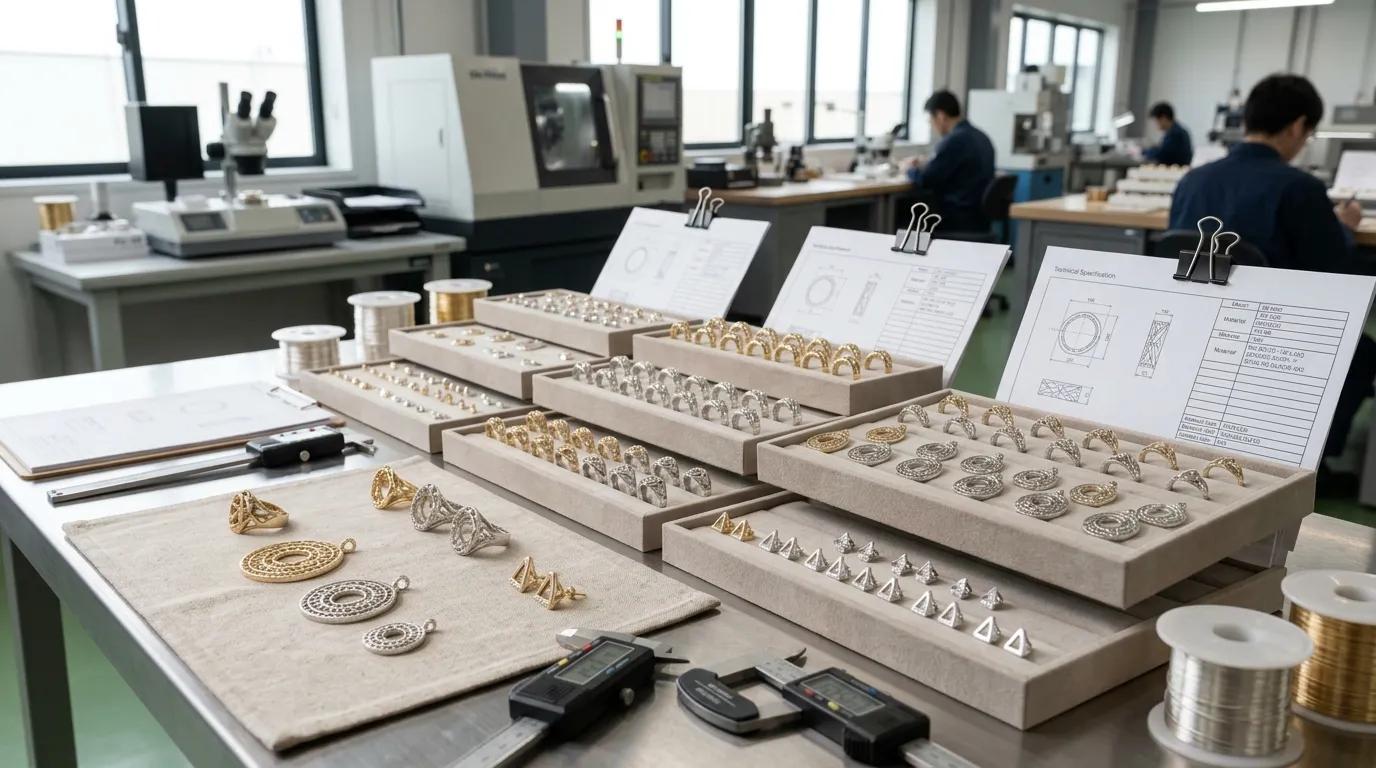
Preparing jewelry design files for manufacturing involves more than sending a sketch or a 3D model to a factory. Your manufacturer needs enough information to understand the product's geometry, materials, dimensions, construction, finish, and quality requirements. If important details are missing, the result may be repeated clarification, inaccurate quotations, sample revisions, or differences between the approved sample and bulk production.
At SSJew, our custom jewelry manufacturing capabilities include CAD, prototyping, sampling, and various jewelry production and finishing processes. The appropriate file requirements depend on your design and the manufacturing method being considered.
A useful rule is simple: your design files should communicate not only what the jewelry looks like, but also what the finished product must be.
Why Complete Jewelry Design Files Matter
A rendering can communicate the appearance of a ring, pendant, bracelet, or earring, but it may not show the information needed to manufacture it consistently. A factory may still need to confirm dimensions, material thickness, stone positions, connection details, finish, and assembly requirements.
These missing details affect several stages of your project.
-
Quotation: Material choices, product dimensions, construction, and finishing requirements can affect the estimated production cost.
-
Sampling: Incomplete specifications can lead to assumptions that do not match your intended design.
-
Manufacturing: Unclear dimensions or construction details can create avoidable production questions or require design changes.
-
Quality control: If you have not defined the critical requirements, it becomes harder to determine whether the finished product meets your expectations.
-
Reorders: Incomplete records make it more difficult to reproduce the same design consistently.
Preparing a clear design package before requesting a quotation helps you identify unresolved questions early. It does not eliminate every technical issue, but it gives you and your manufacturer a shared reference for decisions.
Which Files Should You Prepare?
The required files depend on the product's complexity and the stage of development. You may not need every file type for every project, but the following materials provide a practical starting point.
1. Design Sketches and Reference Images
Provide clear views of the intended product, including the front, side, back, and other relevant angles. Reference images can communicate proportions, styling, decorative details, and the intended visual effect.
Label reference images when they show different design elements. For example, one image might show the desired surface finish while another explains a clasp or stone arrangement.
However, do not use reference images as a substitute for critical dimensions. Perspective, image scaling, and screen display can make proportions difficult to measure accurately.
2. A 3D CAD Model, When Available
A three-dimensional CAD model can help communicate the product's geometry and support design review, prototyping, and manufacturing preparation.
The appropriate file format depends on the software and workflow used by your manufacturer. Common formats include:
Format
Typical purpose
What to confirm
STL
Mesh geometry for 3D printing and certain prototyping workflows
Scale, mesh integrity, and whether the file is suitable for the intended process
STEP
Exchange of 3D geometry between compatible CAD systems
Whether the receiving workflow supports the file and retains the required geometry
3DM
Native format associated with Rhino 3D
Whether the manufacturer can open the file in the required software and version
Native CAD file
Editable source model in its original software
Software compatibility, editable geometry, and included references
No single format is best for every project. STL generally represents a surface mesh rather than the same editable parametric structure found in many native CAD files. STEP is commonly used to exchange solid or surface geometry, but the exact result depends on the export and receiving software.
Before sending files, ask your manufacturer which format is preferred and whether the model can be reviewed or edited in its current form. Do not assume that every factory can use every format without conversion or additional work.
3. A 2D Technical Drawing
A technical drawing supplements the 3D model by identifying dimensions and requirements that may not be obvious from the model alone.
Depending on the design, include:
-
Overall length, width, height, diameter, and other critical dimensions.
-
Thickness in areas where it affects strength, fit, or appearance.
-
Ring size or bracelet dimensions where relevant.
-
Hole positions, connection points, clasps, hinges, and assembly interfaces.
-
Stone sizes, quantities, positions, and setting details.
-
Special notes about areas that require particular attention during production.
Use consistent units, such as millimeters, and label dimensions clearly. If a measurement is critical, identify it explicitly instead of expecting the manufacturer to infer its importance from the drawing.
Not every product needs a highly complex engineering drawing. The aim is to provide enough information to resolve manufacturing questions before they become production problems.
What Your Jewelry Design Specifications Should Include
CAD geometry describes shape, but a complete manufacturing package must also define the materials and characteristics you expect from the finished product.
Materials and Components
State the required base material and grade where applicable, along with component specifications. For example, if you are developing sterling silver jewelry, clarify the intended material specification rather than describing the product only as “silver.”
Identify stones, beads, chains, clasps, posts, backs, and other components where they affect the design. If you require a particular component or material documentation, include that requirement in writing.
If a material choice has not been finalized, mark it as pending rather than allowing an assumption to become an unintended production specification.
Surface Finish and Color
Describe the intended surface appearance as clearly as possible. Requirements may include polished, matte, brushed, textured, or other specified finishes.
If the product requires electroplating or PVD, clarify the intended finish and color, as well as any agreed process or performance requirements relevant to the project. A color name alone may not fully define the result.
Surface preparation and finishing processes can influence the final appearance. For this reason, use an approved physical sample or other agreed reference where visual consistency is important. Screen images are useful for communication but may not reproduce color accurately.
Construction and Functional Details
Explain how the product is intended to fit, connect, open, close, or move. This is especially important for hinged pieces, clasps, articulated bracelets, linked components, and designs containing multiple assembled parts.
A product can look correct in a rendering but still need adjustments to fit or function in practice. These requirements should be reviewed during design validation and sampling.
Quality and Acceptance Requirements
Identify the characteristics that matter most to your product. Depending on the design, these may include critical dimensions, surface appearance, stone placement, assembly, closure function, or packaging.
You should also agree on how the product will be inspected and what constitutes an acceptable result. If a formal sampling plan or specific acceptance threshold is required, document it before production rather than assuming that every supplier follows the same criteria.
How to Prepare CAD Files for Production
Before sending your CAD files, check that the model represents the intended design and is suitable for technical review.
Check the geometry. Look for missing surfaces, unintended gaps, overlapping parts, incorrect scale, and other model issues. A file that opens successfully is not necessarily ready for manufacturing.
Review critical dimensions. Confirm that the model and technical drawing agree. If the drawing specifies a dimension that differs from the model, identify the correct requirement before approval.
Review construction details. Check thin sections, connection points, stone-setting areas, and moving parts. Their suitability depends on the design, material, manufacturing method, and intended use, so do not assume a universal minimum thickness or tolerance applies to every jewelry item.
Confirm the manufacturing method. Casting, stamping, CNC machining, and other processes have different design considerations. A model intended for one process may require modification before another process can be used. Ask the manufacturer to review feasibility before treating the file as production-ready.
Clarify who may revise the design. If the manufacturer recommends a change, request an explanation and review the revised model or drawing. Do not let a technical modification become an unrecorded change to your approved product.
A CAD review can identify potential problems, but it does not replace sampling or other validation required for the project.
Create a Clear Sample Approval and Revision Process
Even well-prepared files may need adjustments during development. The important point is to manage those changes consistently.
Assign a revision identifier to each important file set. For example, distinguish the initial design from the version submitted for sampling and the version approved for production. Keep the corresponding drawings, specifications, and approval notes together.
When you receive a sample, compare it with the approved requirements. Record any requested changes, including revised dimensions, material details, stone positions, or finish. Once the revised sample is accepted, identify the exact specification version associated with that approval.
Before bulk production, confirm that your manufacturer is working from the approved files and that unresolved questions have been addressed. This step helps prevent an earlier drawing or an unapproved sample revision from being used by mistake.
At SSJew, our stated capabilities include CAD, prototyping, and sampling. For your project, we can discuss which design information is needed for technical review and what additional details must be confirmed before a production decision can be made.
Common Jewelry Design File Mistakes
Sending only a rendering. A rendering communicates appearance but may not contain enough information for accurate manufacturing or inspection.
Leaving out material and finish requirements. A visually similar product can require different materials or finishing processes. Specify these requirements instead of relying on assumptions.
Using inconsistent dimensions. Conflicting measurements between a CAD model, drawing, and written brief create unnecessary uncertainty. Identify the controlling specification and resolve discrepancies before approval.
Assuming every file format is interchangeable. Different formats preserve different types of information. Confirm compatibility and whether the receiving manufacturer needs an editable model or a mesh for a specific workflow.
Making changes without updating the approved version. If the CAD model changes but the drawing or sample approval record does not, production teams may work from inconsistent information.
Approving a sample without recording the requirements. A physical sample is a useful reference, but written specifications and revision records help communicate what must remain consistent in future production.
Jewelry Design File Checklist
Before sending your project to a manufacturer, confirm the following:
-
Design sketches or reference images show the intended product clearly.
-
The CAD model or technical drawing is available where required.
-
Units and critical dimensions are clearly identified.
-
Materials, components, stones, and finishes are specified or marked as pending.
-
Construction and functional requirements are documented.
-
Relevant quality and inspection criteria are defined.
-
The preferred file format has been confirmed with the manufacturer.
-
File names and revision identifiers are consistent.
-
Questions requiring technical review are listed.
-
Sample approval and production authorization will be recorded.
You do not need to resolve every technical question alone before contacting a manufacturer. You do need to distinguish confirmed requirements from open decisions so that the next steps can be discussed clearly.
Prepare Your Jewelry Design for SSJew Manufacturing
If you are preparing a new jewelry collection or transferring an existing design into production, a clear design package helps us understand what you want to make and what needs further review.
At SSJew, our stated capabilities include custom jewelry manufacturing, OEM/ODM, CAD, prototyping, and sampling. The suitable manufacturing process and file requirements depend on your design, materials, finishing choices, and production objectives.
When you contact our team, share your available sketches or CAD files, intended materials, key dimensions, finish requirements, and expected order pattern. We can use this information to discuss the project requirements and identify the details that need confirmation before sampling or production.
Explore our custom jewelry manufacturing services, review our jewelry materials and finishes, or contact our team about your jewelry design.